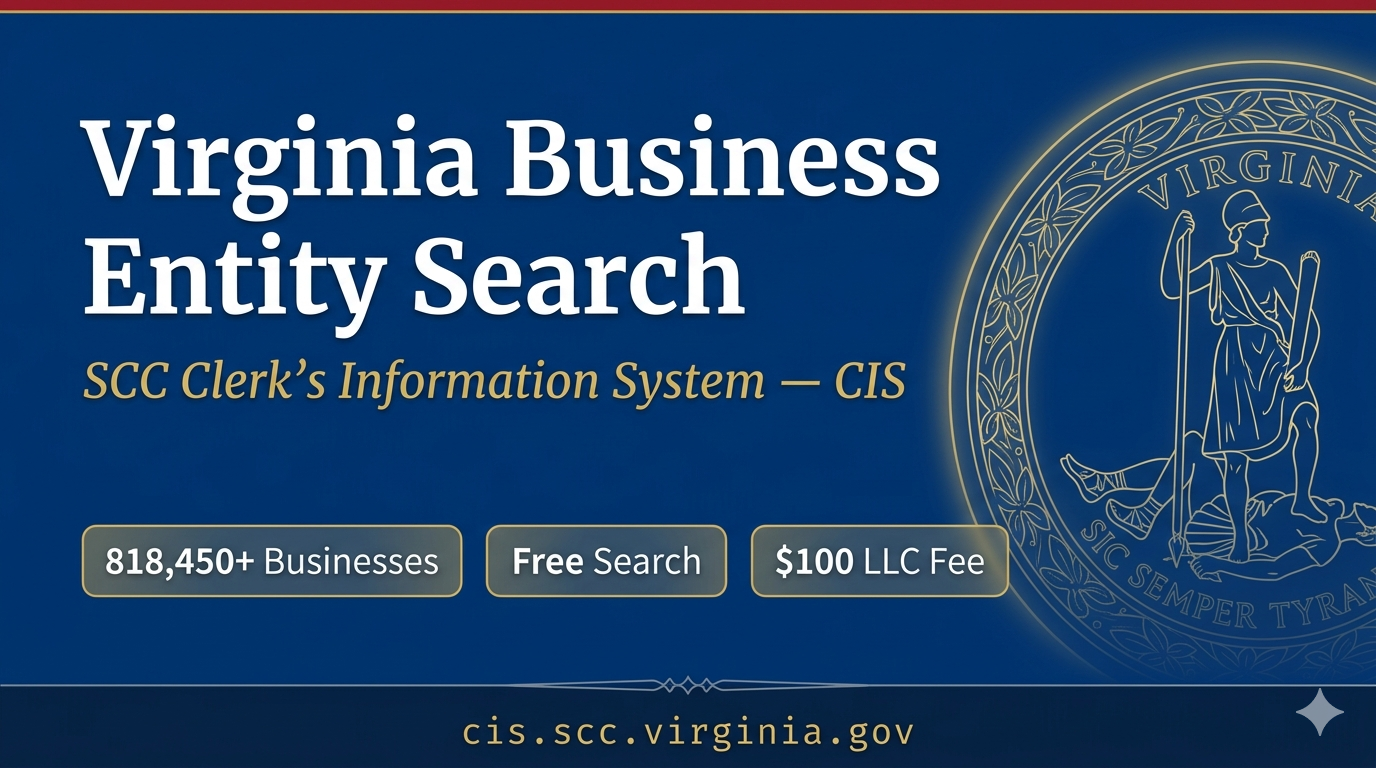
The Virginia Business Entity Search tool lets anyone look up a specific entity registered in the state, including LLCs, Corporations, Partnerships, Nonprofits, and more. Once the search is submitted, detailed information about that business is available instantly, including its current standing, registered agent details, and full document history.
Use Virginia’s SCC Clerk’s Information System (CIS) at cis.scc.virginia.gov to search business entities, check name availability, and download filings. This guide shows the exact steps, what each result field means, and what to check before doing business.
Business Entity Search
A complete Virginia business entity search takes under five minutes. Follow these steps in order.
Step 1. Open the Official CIS Portal
Go to https://cis.scc.virginia.gov/EntitySearch/Index the only official portal for a Virginia SCC entity search. By clicking Businesses in the top menu, then Business Home, then Go to the Clerk’s Information System.
Step 2. Click ‘Search for a Virginia Business’
On the CIS home page, find the Search for a Virginia Business option. No login is needed for a basic entity search.
Step 3. Choose Basic or Advanced Search
• Basic Search, search by entity name or SCC ID. Start here for most searches.
• Advanced Search, search by filing number, registered agent name, or principal name. Use this for deeper due diligence.
Step 4. Select Your Match Type
• Contains, finds names with your term anywhere in the name. Best for name availability checks.
• Starts With, finds names beginning with your search term.
• Exact Match, finds only the precise name entered. Use when you know the full legal name.
TIP: Always use ‘Contains’ when checking name availability. It catches the most conflicts and prevents filing errors.
Step 5. Enter Your Search Term
• Type partial or full entity name, ‘Blue Ridge’ returns all matching entities
• Do not add LLC, Inc, or Corp, the system handles designators separately
• SCC Identification Number format: letter + 7 digits, example: S1234567
Step 6. Review Your Entity Search Results
A results table loads showing every matching Virginia business entity. Each row shows the entity name, SCC ID, entity type, entity status, and formation date.
Step 7 . Click the Entity ID for Full Details
Click the blue hyperlinked entity ID in your search results to open the full entity profile. You get the formation date, registered agent, principal office address, filing history, and annual registration fee payment history all without logging in.
Step 8. Download or Order What You Need
Download filing documents directly from the entity profile page. Filing images may be available for a limited window after file creation check CIS for the current availability period. For certified business records, order a Certificate of Fact of Existence through CIS. This requires a login and a small fee ($6 online as of May 2026 confirm current fee at cis.scc.virginia.gov).
What Is the Virginia Business Entity Search?
The Virginia business entity search is a free public tool inside the SCC Clerk’s Information System — called CIS. Virginia has over 818,450 small businesses, and the SCC database covers every business entity registered with the Commonwealth.
IMPORTANT: Virginia does not use a Secretary of State for business registrations. The Virginia State Corporation Commission (SCC) handles all entity filings. Searches for “virginia secretary of state business entity search,” “va sos business search,” or “secretary of state virginia business entity search” all lead to the SCC at scc.virginia.gov.
The SCC Clerk’s Information System is the official search system for every Virginia business entity. Here is what you can do without logging in:
• Search business entities registered with the Commonwealth by entity name or SCC ID
• View filing history, registered agent history, and entity status
• Download filing documents directly from the entity database
• Check name availability for a new business
• Access entity information including registration information and contact information
Types of Business Entities in Virginia
The Virginia State Corporation Commission registers numerous business entity types. Here is what you will find in the CIS database:
Entity Type | Common Use |
Limited Liability Company (LLC) | Most small businesses and investors |
Limited Liability Company (Foreign LLC) | Out-of-state LLC registering in Virginia |
Stock Corporation (domestic) | Private and public companies |
Stock Corporation (foreign) | Out-of-state corporations operating in Virginia |
Non-Stock Corporation | Nonprofits and associations |
Limited Partnership (LP) | Investment funds and real estate |
Limited Liability Partnership (LLP) | Law firms and accounting practices |
Business Trusts | Asset holding and finance structures |
Registered General Partnership | Two or more business partners |
NOTE: Sole proprietors and unregistered general partnerships are NOT in the SCC database. The Virginia entity search returns only formally registered entities.
What Each Search Result Field Means
Once you open a Virginia entity profile, here is what every piece of entity information tells you:
Field | What It Shows | Why It Matters |
Entity Name | Legal business name as filed with the SCC | Confirms exact registered spelling |
SCC Identification Number | Unique entity ID assigned at formation | Use for all future SCC filings |
Entity Type | LLC, Corp, LP, LLP, Business Trust, etc. | Confirms the business entity type |
Entity Status | Active, Terminated, Merged, Cancelled, Revoked | Shows current legal standing |
Date of Formation | When the SCC approved the filing | Confirms operating history |
Registered Agent | Agent name and physical address | Required for all legal correspondence |
Principal Office | Main business address on record | Verifies real operational location |
Annual Registration | Fee payment history | Shows ongoing compliance record |
Entity Status Decoder
Not every status means a name is available. Here is exactly what each status means and what to do:
Status | What It Means | Name Available? |
ACTIVE | Compliant — legally authorized to transact business in Virginia | No — name is taken |
TERMINATED | Voluntarily or administratively closed | Possibly — verify with SCC first |
MERGED | Combined into another entity | No — name was absorbed |
CANCELLED | Registration formally cancelled | Possibly — call SCC to confirm |
REVOKED | Authority to conduct business revoked | Unclear — contact SCC immediately |
IMPORTANT: A TERMINATED or CANCELLED entity’s name is not automatically free. To reuse a terminated name: confirm availability with SCC staff at (804) 371-9733, then file a name reservation to secure it while you prepare your formation documents.
Name Availability and Name Reservation
Every Virginia business entity name must be distinguishable from every other name in the SCC database. Virginia Code § 13.1-1012 governs LLC name requirements.
Three Ways to Check Name Availability
• CIS Entity Search (Free, No Login) use ‘Contains’ match and search your desired name manually
• CIS Name Availability Tool (Free, Instant) use the dedicated check on the CIS home page for a direct answer
• Call SCC Clerk’s Office (804) 371-9733 for official phone confirmation before you file
What Makes a Name Distinguishable in Virginia
Makes Names Distinguishable? | Example | Result |
Different designator only (LLC vs Inc) | Blue Ridge LLC vs Blue Ridge Inc | Not distinguishable |
Adding ‘The’ or ‘A’ | The Blue Ridge LLC vs Blue Ridge LLC | Not distinguishable |
Adding ‘&’ or ‘and’ | Blue & Ridge vs Blue Ridge | Not distinguishable |
Adding a real industry word | Blue Ridge Capital LLC vs Blue Ridge LLC | Distinguishable |
Completely different second word | Silver Ridge LLC vs Blue Ridge LLC | Distinguishable |
How to Reserve a Business Name
• Fee: $10 this is the name reservation fee, not the LLC filing fee (Va. Code § 13.1-1013)
• Duration: 120 days blocks others from registering the same name
• How Log into CIS a free account is required
• Renewal: file a new reservation before 120 days expire to keep the name held
Fees last checked May 2026 confirm the current reservation fee at scc.virginia.gov/businesses/business-faqs/ before filing.
Fees and Forms Of Virginia Business Entity
All fees last checked May 2026 confirm the latest at scc.virginia.gov/businesses/business-faqs/ before filing.
Filing | Fee |
Articles of Organization (LLC formation) | $100 |
Name Reservation (120 days) | $10 |
Certificate of Fact of Existence (Good Standing) | $6 online |
Registered Agent Change | $10 |
Amendment to Articles of Organization | $25 |
Annual Registration Fee: LLC | $50/year, anniversary-based |
Annual Registration Fee: Stock Corporation | $100 minimum, based on authorized shares |
Annual Registration Fee: Non-Stock Corporation | $25/year |
Annual Registration Fee: Business Trusts / LP | $50/year |
Late Payment Penalty: Stock Corporation | 10% of annual fee or $10, whichever is higher |
ANNIVERSARY DEADLINE: Your annual registration fee is due by the last day of your formation month each year. New entities do not pay in their formation year. Source: scc.virginia.gov/businesses/business-faqs/annual-registration-fees/
Due Diligence Checklist: Search for a Virginia Business
Run a Virginia business entity search before signing contracts, hiring vendors, or entering partnerships. Check these six things every time:
• Entity Status look for ACTIVE. A TERMINATED, REVOKED, or CANCELLED status is an immediate red flag.
• Annual Registration History consistent fee payments signal a compliant, actively managed business.
• Registered Agent confirm the agent is current and the address is valid. A resigned agent often means the entity is abandoned.
• Formation Date a company formed within days of approaching you warrants closer scrutiny.
• Entity Type confirm it matches what they claim to be. Mismatches indicate misrepresentation.
• Filing History long gaps or missing annual registrations suggest a dormant or non-operational entity.
FOREIGN ENTITY RULE: A business registered in another state must register with the Virginia SCC before it can legally transact business in Virginia. If a company claims to operate here but has no SCC record, it may not be authorized. Always check the entity database before entering any business relationship.
The SCC database shows legal registration status not financial health. For a complete picture, also check:
Virginia Department of Taxation: tax.virginia.gov for state tax compliance
- Better Business Bureau (bbb.org) for complaint history and ratings
- SCC UCC portal for liens or security interests against business assets
At-a-Glance: Virginia Business Entity Search
Detail | Information |
Official Search Portal | cis.scc.virginia.gov |
Operated By | Virginia State Corporation Commission (SCC) |
Cost to Search | Free — no login required |
Login Required? | Only for filing and name reservation |
LLC Formation Fee | $100 state fee |
Annual Registration Fee (LLC) | $50/year — anniversary-based |
Name Reservation | $10 — holds name for 120 days (Va. Code § 13.1-1013) |
Good Standing Certificate | Certificate of Fact of Existence — $6 online |
SCC Phone | (804) 371-9733 — Mon–Fri, 8am–5pm ET |
Fees Last Checked | May 2026 — confirm at scc.virginia.gov |
Starting a Business in Virginia
Once you’ve found your preferred business name in the database, the next step is registration. BusinessRocket helps you register your LLC, Corporation, Partnership, Nonprofit, and more, so you can start your business with complete peace of mind.
Frequently Asked Questions
What is the Virginia Business Entity Search?
The Virginia business entity search is a free public tool inside the SCC Clerk’s Information System at cis.scc.virginia.gov. It covers all business entities registered in Virginia LLCs, corporations, LPs, LLPs, business trusts, and foreign entities. It is the official search system for name availability, due diligence, and registration information.
What is the Virginia SCC and why not the Secretary of State?
The Virginia State Corporation Commission (SCC) is the state agency that manages all business entities in Virginia. Virginia does not use a Secretary of State for business registrations. All searches for “virginia secretary of state business entity search,” “va sos business search,” or similar terms lead to the same SCC database at scc.virginia.gov.
How do I do a Virginia LLC search or Virginia corporation search?
Go to cis.scc.virginia.gov. Click Search for a Virginia Business. Select Contains as your match type. Type your search term. Results appear immediately. Click the blue entity ID number for full details formation date, registered agent, and filing history. This works for a Virginia LLC search, Virginia corporation search, or any VA business entity search.
What is the SCC Identification Number?
The SCC Identification Number is your entity’s unique ID. It follows the format of a letter prefix followed by seven digits for example S1234567. This number appears in all entity search results and is used for all future SCC filings and fee payments.
How do I check name availability in Virginia?
Use the Virginia entity search in CIS with Contains match for a manual review, or use the dedicated name availability tool on the CIS home page. For official confirmation before filing, call the SCC Clerk’s Office at (804) 371-9733. Names must satisfy Va. Code § 13.1-1012.
What is Virginia’s annual registration fee for LLCs?
Virginia LLCs pay $50 per year, due by the last day of your formation month, not a fixed statewide deadline. Missing the deadline triggers a late penalty and risks loss of good standing. Fees last checked May 2026, confirm at scc.virginia.gov/businesses/business-faqs/annual-registration-fees/
How do I get a Certificate of Good Standing in Virginia?
Log in to CIS at cis.scc.virginia.gov. Navigate to your entity and order a Certificate of Fact of Existence, Virginia’s version of a good standing certificate. Cost: $6 online as of May 2026. Confirm the current price at cis.scc.virginia.gov before ordering. Used for banking, lending, and out-of-state registration.
Can I search Virginia business entities by registered agent?
Yes. The Advanced Search in CIS allows you to search by registered agent name. This is useful for finding all entities associated with the same agent, helpful for investor research or legal work.
What happens if a Virginia entity misses its annual registration fee?
The SCC sends a notice to the registered agent two months before the fee is due. Missing the deadline triggers a late penalty, 10% of the annual fee or $10, whichever is higher. Continued non-payment leads to revocation and loss of authority to conduct business in Virginia.
What search terms all lead to the Virginia business entity search?
The following queries all point to the same SCC CIS database at cis.scc.virginia.gov: llc virginia lookup, va business entity search, va business lookup, va scc entity search, virginia business lookup, virginia corporation search, virginia llc search, virginia scc business entity search, virginia scc entity search, virginia secretary of state business entity search, virginia state corporation commission entity search, and state of virginia business entity search.
Conclusion
The business entity search tool provided by the Virginia State Corporations Commission (SCC) is an essential resource for anyone operating in or doing business with companies in Virginia. It offers free, transparent access to verified state records that help entrepreneurs, investors, attorneys, and everyday consumers make informed decisions. Whether you are checking the availability of a business name before filing your own registration, verifying the credentials of a potential partner, investigating a company before a major transaction, or simply researching the competitive landscape in your industry, this official state database gives you everything you need in one place. Visit the SCC portal today at scc.virginia.gov and take full advantage of the Virginia Business Entity Search, one of Virginia’s most valuable public business resources.


 Kansas Business Entity Search July 22, 2026 - Home » Virginia Business Search in 2026 – Check Name AvailabilityKansas Business Entity Search 2026 Kansas business entity search is free at sos.ks.gov. Look up any LLC, check its status, and confirm name availability in under 3 minutes. No login needed. Fastest National Processing Times! REGISTER AN LLC Trustpilot Business Name Availability Check State of …
 Wisconsin Business Entity Search July 15, 2026 - Home » Virginia Business Search in 2026 – Check Name AvailabilityWisconsin Business Entity Search 2026 The Wisconsin business entity search is a free official tool by the Department of Financial Institutions (DFI) to find LLCs, corporations, and name records. You can search by business name or entity ID to check registration status, filing history, and …
 South Carolina Secretary of State | Business Entity Search July 7, 2026 - Home » Virginia Business Search in 2026 – Check Name AvailabilitySouth Carolina Business Entity Search SC Secretary of State: South Carolina business entity search online. Find South Carolina businesses, filing info & more with the official SC entity search. Fastest National Processing Times! REGISTER AN LLC Trustpilot Business Name Availability Check State of South Carolina …
South Carolina Secretary of State | Business Entity Search Read More »