You can quickly view entity names, identification numbers, filing history, and other important business details, making it easy to research businesses and verify official records.
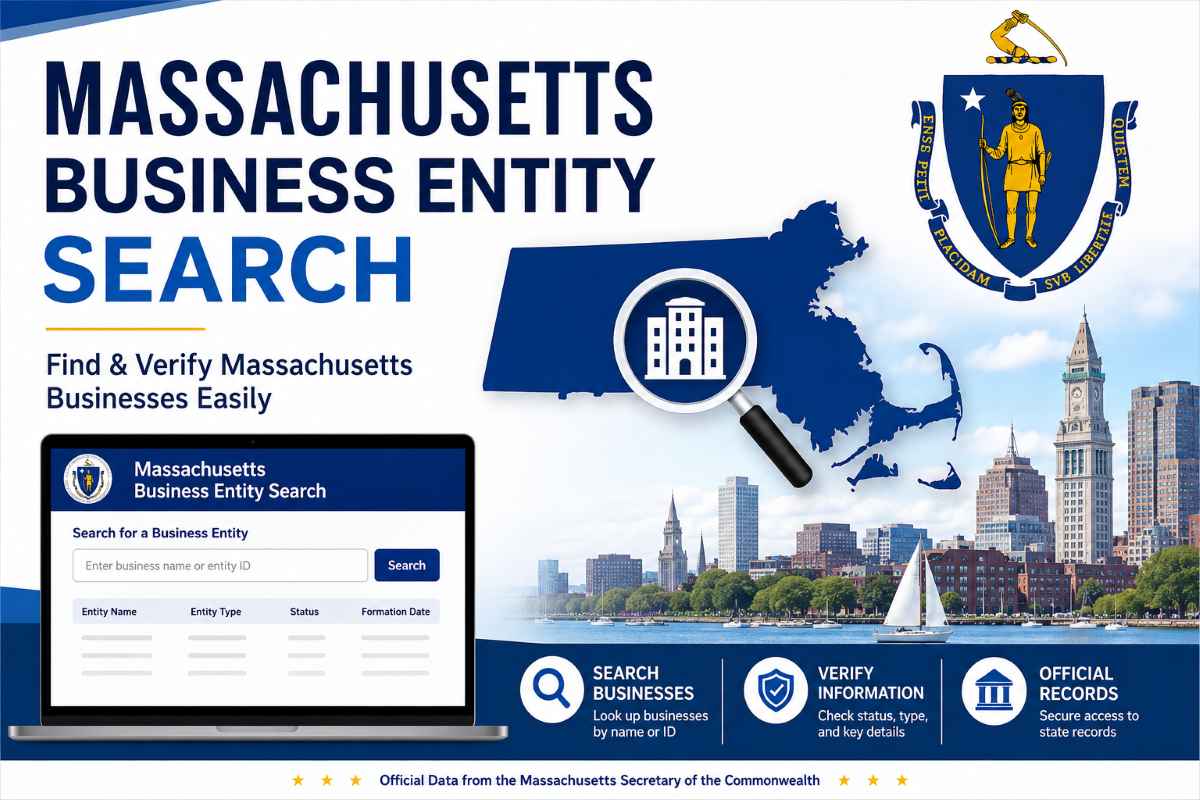
What Is the Massachusetts Business Entity Search Tool
The massachusetts business entity search tool runs under the Secretary of the Commonwealth. It tracks every registered entity in one system. This online database holds complete massachusetts business records, open and easy to access.
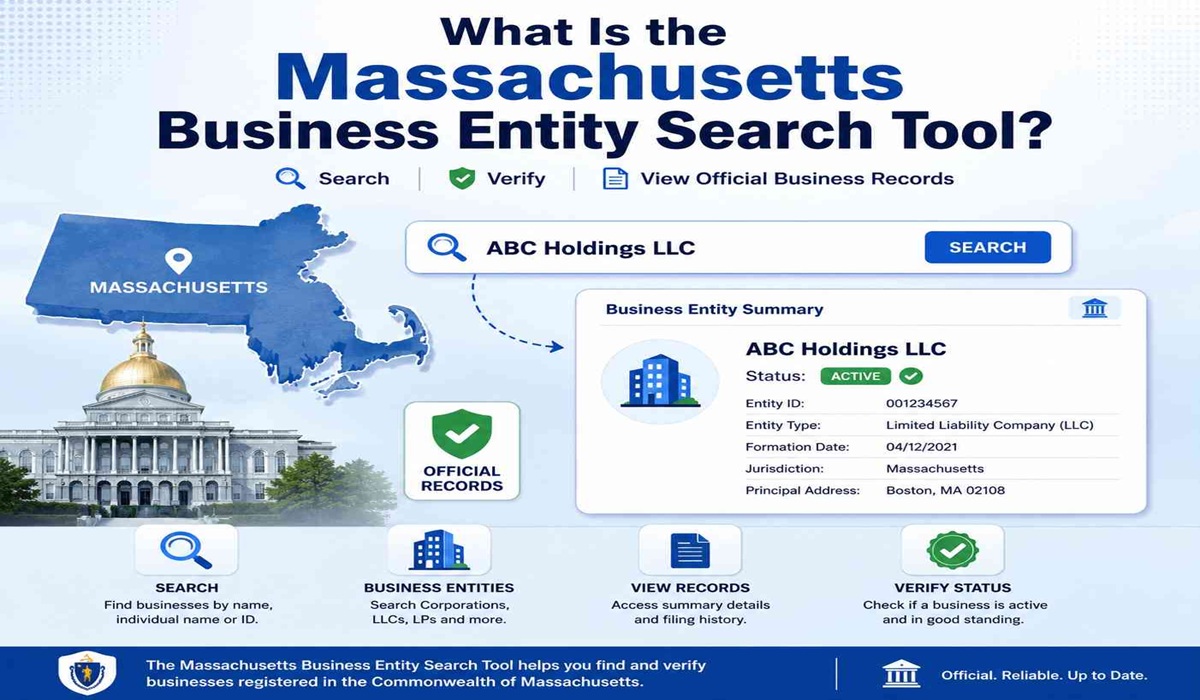
Built under massachusetts general laws chapter rules, it ensures every entity is properly filed. It is maintained by the commonwealth’s corporations division secretary, and ensures that records are clear, up to date and legally valid throughout the state.
It is used most by:
• Entrepreneurs check names before filing.
• Investors confirm active status fast.
• Lenders verify compliance before approval.
• Attorneys review records for deals.
• Vendors confirm real, registered businesses.
• Researchers access official public data.
This system is maintained by the Secretary of the Commonwealth, not the Department of Revenue, not the IRS, and not any federal agency. It covers state-level registration compliance only.
How to Do a Massachusetts Business Entity Search (Step-by-Step Guide)
Step 1: Open the Massachusetts Business Entity Search Portal
Visit the official Corporations Division search page.
https://corp.sec.state.ma.us/corpweb/CorpSearch/CorpSearch.aspx
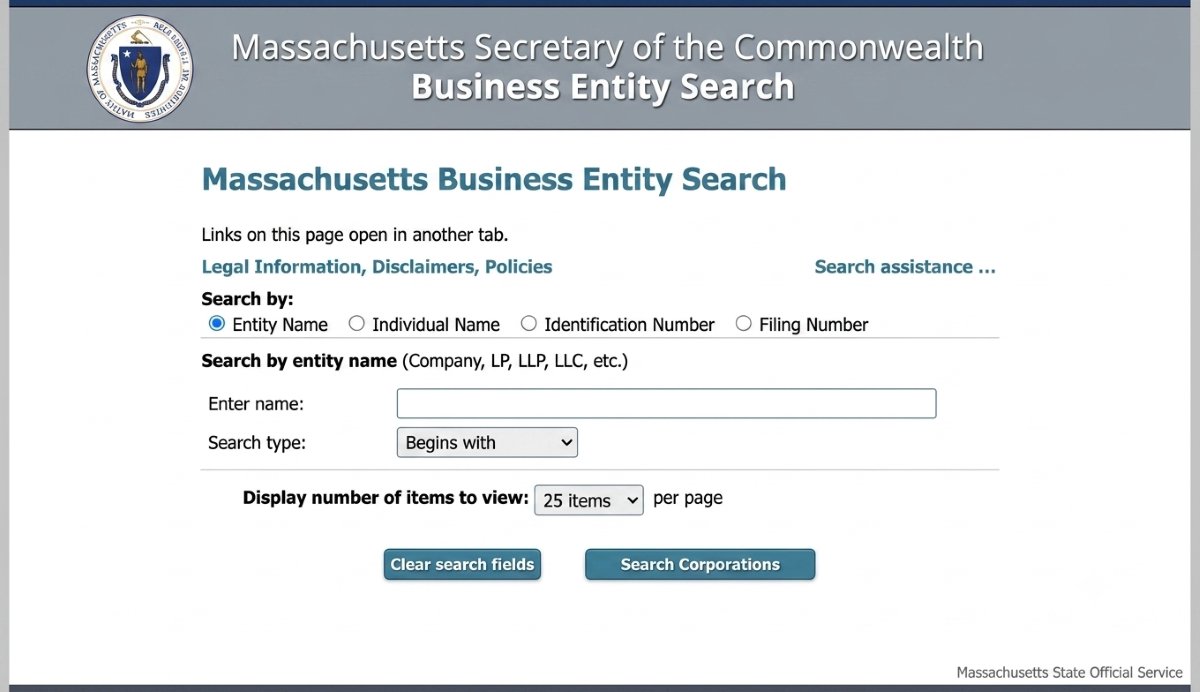
Before typing anything, look at the top of the page. Four search options sit right there.
- Entity Name
- Individual Name
- Identification Number
- Filing Number
Pick Entity Name, if you are checking whether a business name is taken. When the company’s ID number is on hand, pick Identification Number.
Step 2: Perform online search on a Massachusetts registered business.
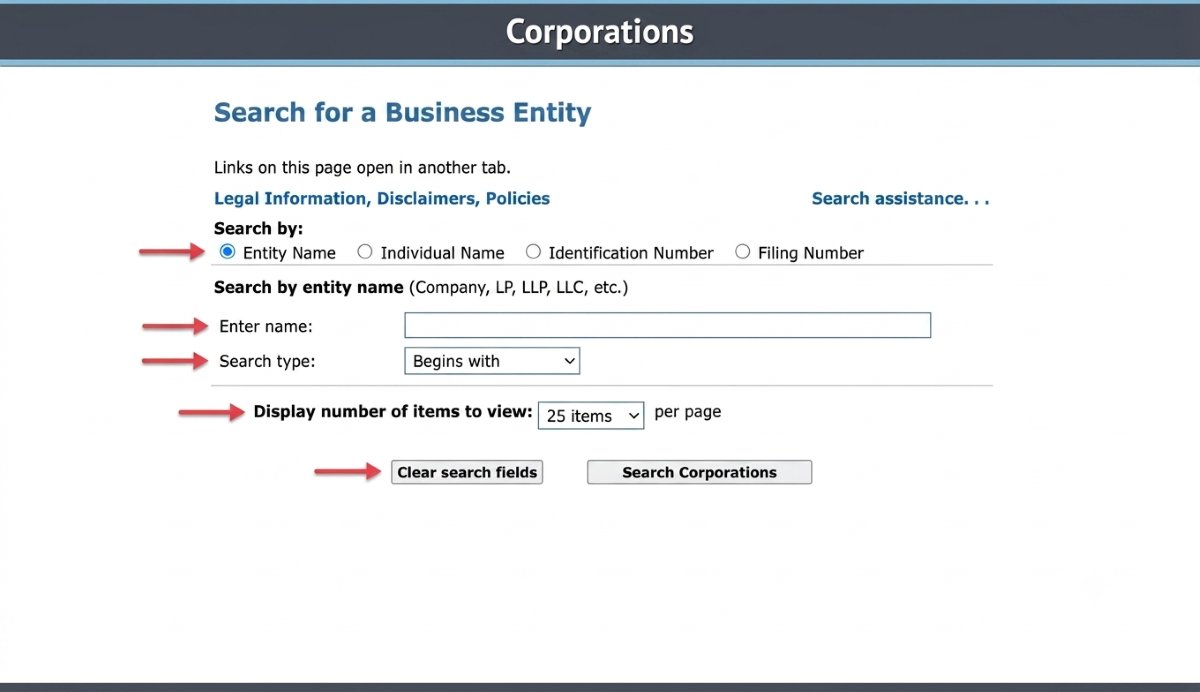
Type the business name, or even one word from it, into the search box. A dropdown next to the box lets you narrow how that word gets matched.
- Begins with (best for exact name checks)
- Contains (best for broad, exploratory searches)
- Choosing begins with keeps your results tight. Choosing contains casts a wider net when you are unsure of exact spelling.
Step 3: Set Your Results Per Page
A second dropdown controls how many results show up at once.
- 25 results (default)
- 50 results
- 100 results
- Stick with 25 for a quick name check. Switch to 100 if you are researching a common name likely to return many matches.
Click the Search Corporations button. Results load in seconds, right on the same page.
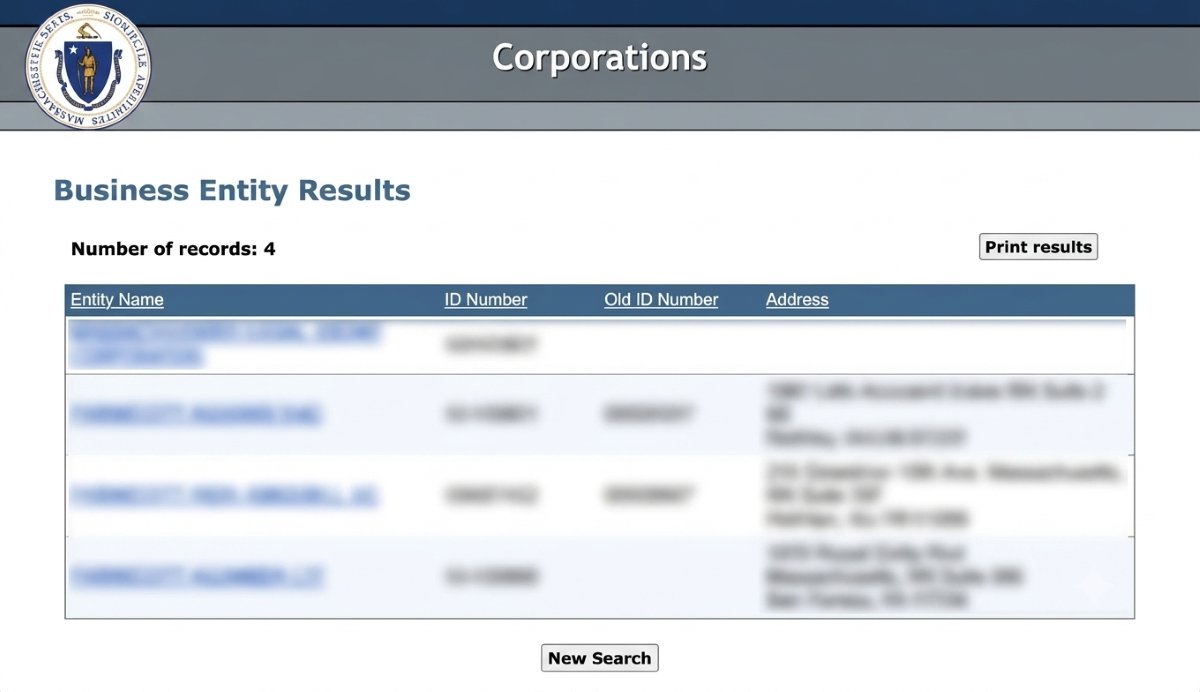
The results table lists several columns.
- Entity Name
- ID Number
- Old ID Number
- Address
Click on the business name to view all its information.
Step 4: Review the Business Entity Summary
All information about the company is at your fingertips.
- Exact legal name
- Entity type
- Identification number
- Date of organization in Massachusetts
- Current status
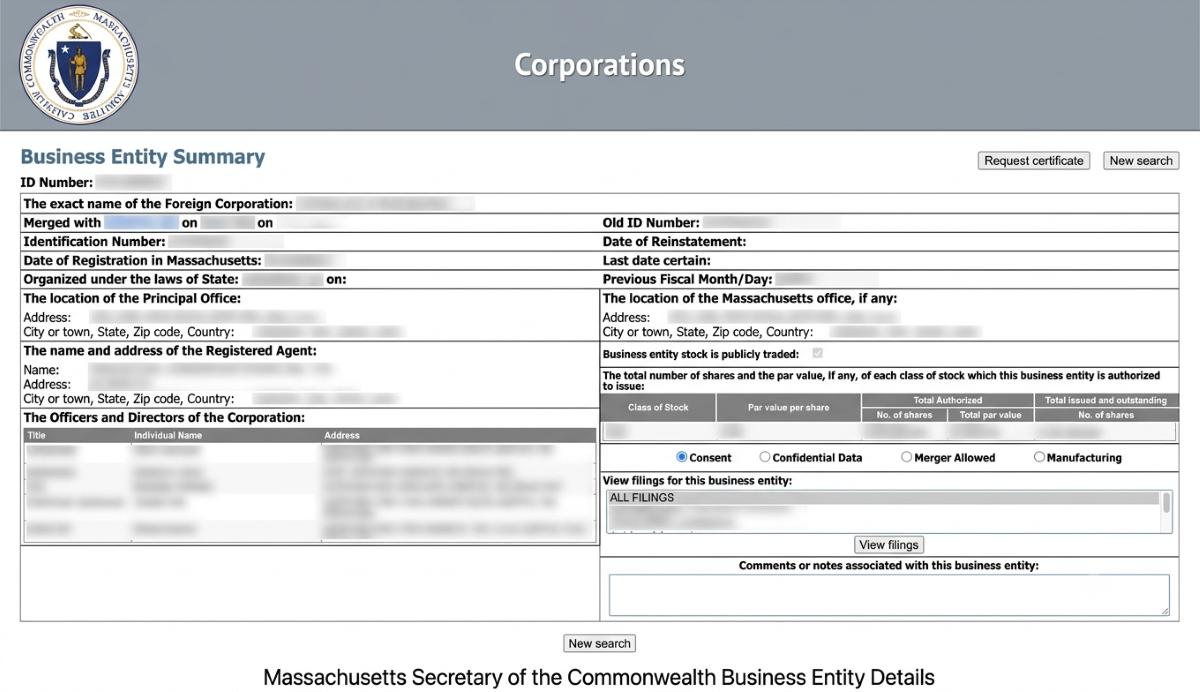
Scroll down for additional detail sections covering fiscal dates, the registered agent’s name and address, principal office location, officers and directors, and stock information for entities authorized to issue shares.
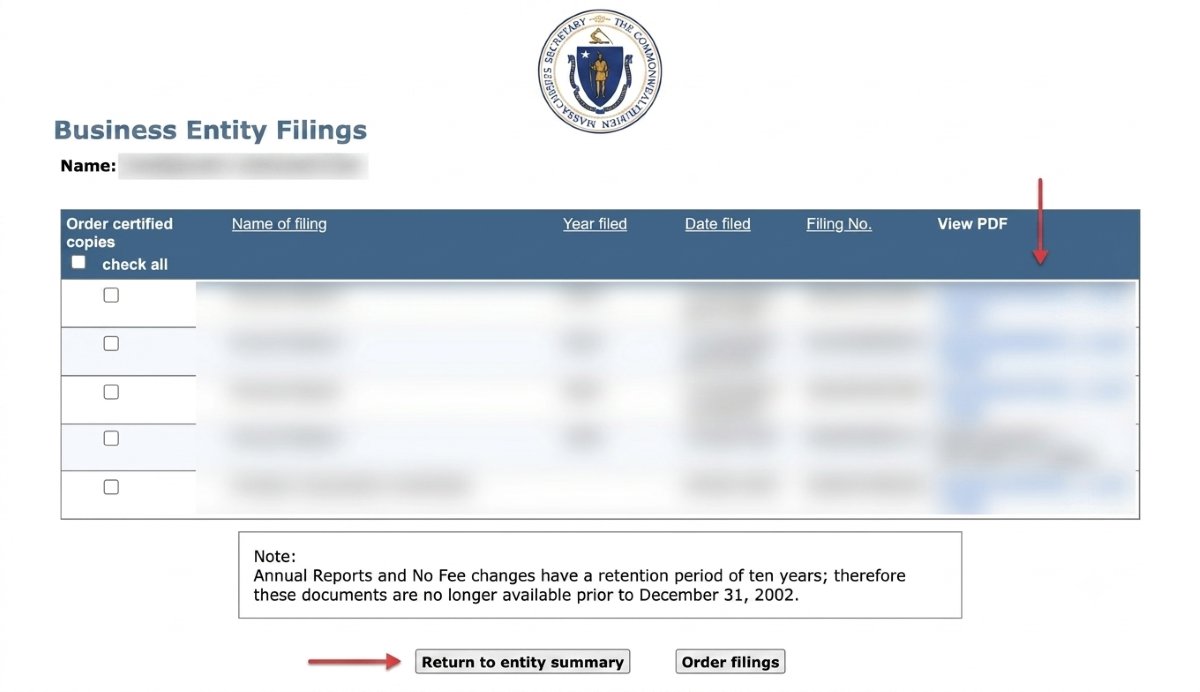
At the bottom of the summary page, a filing list shows every document the entity has submitted. Select any filing from the box and click View Filings to open the record itself.
Never pay a third-party site to access these public records. The official portal is free, updated in real time, and maintained by the Secretary’s office. Third-party data is not affiliated with the state.
Which Business Entity Types in Massachusetts Are Listed in the Database?
Multiple structures sit inside the Massachusetts Corporations Division system. Domestic entities form here. LLCs lead. Corporations, nonprofits, and professional entities also appear with clear legal labels.
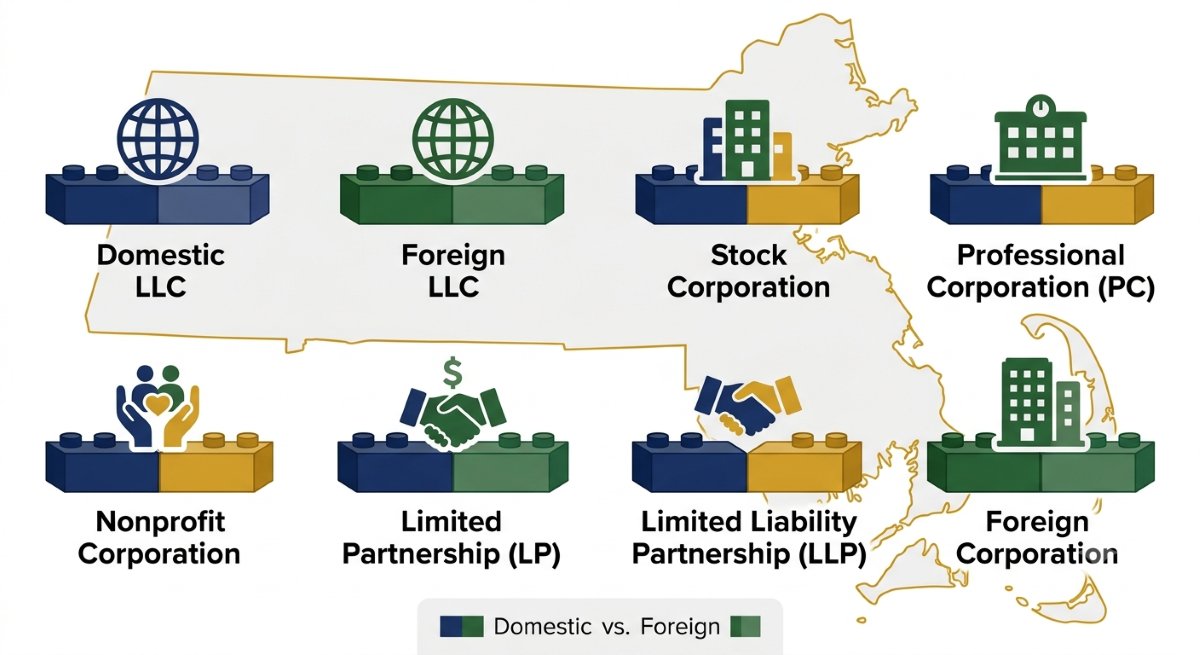
They break down like this:
• Domestic LLCs and corporations formed in-state
• Foreign entities registered from outside Massachusetts
• Professional corporations for licensed fields
• LLPs and LPs for partnerships and investments
The massachusetts business entity search shows every structure clearly, so you understand each entity type fast and move forward with confidence.
| Entity Type | Description | Domestic or Foreign |
|---|---|---|
| LLC (Domestic) | Common for small businesses and solo owners | Domestic |
| LLC (Foreign) | Out-of-state LLC registered in Massachusetts | Foreign |
| Stock Corporation | Used for companies issuing shares | Domestic |
| Professional Corporation (PC) | For licensed professionals | Domestic |
| Nonprofit Corporation | Charities and foundations | Domestic |
| Limited Partnership (LP) | Used in investments and real estate | Domestic |
| Limited Liability Partnership (LLP) | Common for law and accounting firms | Domestic |
| Foreign Corporation | Out-of-state corporation registered locally |
Every structure listed above appears in the Division’s public system. The entity type field in a profile identifies the specific structure you are looking at.
What Massachusetts Business Search Results Reveal Fast
Open a profile from the search for massachusetts business entities page. Powered by the Secretary of the Commonwealth, it shows verified data instantly. Use the corporations division online system to search the database with any business name in the search or your desired business name.
Managed by the secretary of the commonwealth’s corporations, each profile shows status, ID, type, and history.
| Status | Meaning | What You Do |
|---|---|---|
| Active | Fully compliant entity | Safe to proceed |
| Dissolved | Closed voluntarily | Check name reuse |
| Admin Dissolved | Closed by state | Review carefully |
| Revoked | Authority removed | Investigate first |
| Withdrawn | Out-of-state exit | Confirm availability |
Real-World Example: Searching Before You Register in Cambridge
A Cambridge founder planned to launch Beacon Street Analytics LLC and checked the name before paying any state fees. The search returned one matching record with a Dissolved status. The full profile showed a 2021 dissolution record, confirming the business was fully closed.
No active company with a confusingly similar name appeared in the results. The address on file was also different from the founder’s planned office. The search gave a clear answer fast, and she moved ahead with confidence.
How to Read Massachusetts Filing History Fast
Open a profile and scan the history from day one. The Secretary of the Commonwealth records show formation plus updates. A clean timeline signals stability and trust.
Focus on annual reports and key changes:
• Formation filings confirm legal start
• Annual reports show active compliance
• Amendments reflect name or agent updates
• Dissolution records confirm closure status
• Gaps across years signal review needed
Read patterns, not just entries. Consistent filings build confidence, while missing years prompt deeper checks.
| Document | What It Shows | Action |
|---|---|---|
| Articles of Organization | LLC formed legally | Must exist |
| Articles of Incorporation | Corporation formed | Must exist |
| Annual Report | Yearly compliance | Check the latest date. |
| Certificate of Amendment | Changes recorded | Review details. |
| Certificate of Dissolution | Entity closed | Avoid agreements. |
| Certificate of Authority | Foreign entity approved | Confirm before deals. |
How to Verify Good Standing Status for a Massachusetts Business
Check good standing in Massachusetts through the Secretary of the Commonwealth portal. It confirms a business is registered, has a recent annual report, and meets every business filing rule.
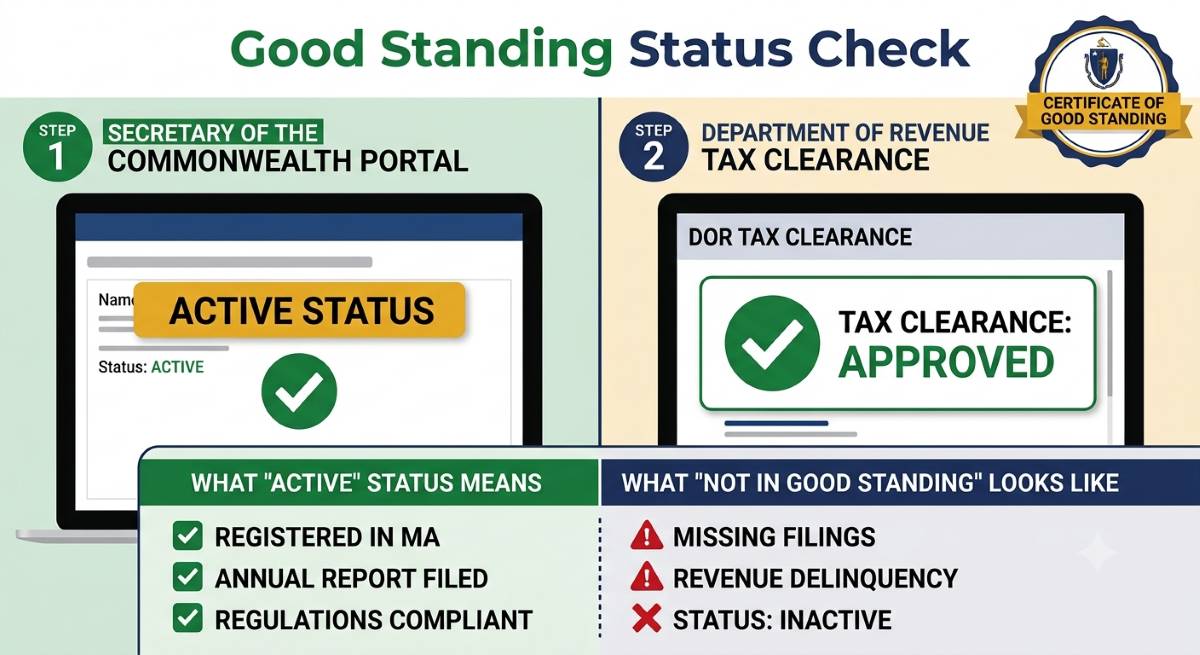
Read the profile fast:
• Active status = good standing with the state
• Confirm physical address in Massachusetts
• Verify entity is registered to do business.
• Check the date when you file an annual report.
• Use a certificate for state approval needs
Keep records separate. The Division tracks compliance only, while the Massachusetts Department of Revenue handles taxes. Both matter within the state.
Confirming good standing requires two separate steps for most formal transactions: (1) verify Active status through the Division’s portal, and (2) request tax clearance from the DOR. One does not substitute for the other.
Beyond Entity Search: More Tools on the Official Portal
UCC Lien Searches
Go beyond the ma sos business search on the Massachusetts Secretary of the Commonwealth system. UCC filings show liens tied to any legal entity. This check reveals asset claims fast, helping you review risk before any deal or funding decision.
Returned Submissions
Scan each state record for returned filings. The ma sec of state search will alert to errors, missing information or payment problems. One return is minor and repeated returns signal patterns worth reviewing in the full compliance history.
Corporation-Level Deep Dive
Use ma corporation search on the ma secretary of state website to explore any corporation or business entity. It lists officers, updates, and filings like the ma sos annual report.
UCC records and entity registration records are both available through the Secretary’s system but are in separate sections of the portal. A standard entity search does not automatically surface UCC lien data. Run both when you need a complete due diligence picture.
How to Check Business Name Availability in Massachusetts Before You File
Start with a quick check for your new business on the Massachusetts Secretary of the Commonwealth portal. Search online, test variations, and confirm the business name is available before paying any filing fee.
Run the check like this:
• Enter name without LLC or Corp
• Use variations to check if a business exists
• Review active and dissolved results
• Spot similar names, not just exact matches
• Confirm name is available in massachusetts
Move smart before registering an llc in massachusetts. A clear result means the name is available, but final approval comes during filing.
Massachusetts Business Entity Fees and Forms
All fees below were last checked July 2026. Confirm the current amounts at
corp.sec.state.ma.us before submitting any document. Massachusetts has one of the highest LLC fee structures in the country, so plan for the recurring annual cost.
| Filing | Fee |
|---|---|
| Certificate of Organization (LLC formation) | $500 by mail — $520 online or fax ($20 expedited surcharge) |
| Annual Report (LLC) | $500 per year — due on your formation anniversary |
| Name Reservation | $30 — holds the name for 60 days |
| Certificate of Amendment | $100 |
| Restated Certificate | $100 |
| Resident Agent / Office Change | $25 by paper or fax — free if filed electronically |
| Certificate of Good Standing (LLC) | $25 |
Filing office: Secretary of the Commonwealth, Corporations Division, One Ashburton Place, Room 1717, Boston, MA 02108. Current Secretary of the Commonwealth: William F. Galvin.
What to Do After Your Massachusetts Business Entity Search
Confirm status and filings through the Massachusetts Secretary of the Commonwealth system, also known as the Massachusetts Secretary of State Corporation Portal. Quick check and reliable records for every business in Massachusetts.
If the Entity Already Exists
Act based on what appears:
• Confirm Active or Dissolved status
• Download recent filings and reports
• Review agent and compliance history
• Scan for gaps or returned submissions
• Cross-check tax and trademark records
If Your Name Is Clear: Next Filing Steps
Move forward with filing:
• File formation papers for your business entity.
• Wait for approval and record update
• Begin operations after official listing
• Keep filings current each year
Foreign Companies: Qualifying to Operate
Register before starting activity:
• File Certificate of Authority
• Provide good standing proof from another state
• Appoint a Massachusetts agent
• Submit supporting formation documents
Follow each step cleanly for a fast, compliant start in Massachusetts.
Frequently Asked Questions
Is the Massachusetts Secretary of State Business Entity Search Free to Use?
Yes, completely free. The public portal at corp.sec.state.ma.us costs nothing to access. No account is needed, no subscription, and no per-search fee applies. You pay only when you submit a document for processing. Browsing public records, including full entity profiles and compliance history, is always free.
How Do I Run a Secretary of State Massachusetts Business Entity Search?
Go to corp.sec.state.ma.us. Select your preferred lookup type from the dropdown: by company name, by state ID number, or by agent name. Enter your term and click Search. Results appear instantly. Click any company name to open its full profile, which includes current status, formation date, agent details, and every document on record from the date of registration forward.
What Information Does Each Entity Profile Include?
Every profile shows the entity’s legal name, state-assigned ID number, legal structure, current status, date of formation, agent details, principal office address, and the date of the most recent compliance submission. Below those summary fields, the full compliance record lists every document on file from formation through today. Individual documents can be downloaded directly from the profile at no cost.
What Are MA SOS Rejected Filings and Should I Be Worried?
These are documents submitted to the Division that were returned due to errors, incomplete information, or payment problems. A single returned document is not usually cause for concern. A pattern of returned submissions, especially on annual compliance documents, can indicate that the company has ongoing difficulty managing its state obligations. Always review the full compliance record for any entity you are evaluating and look for patterns before making any major commitment.
Can I Run an MA Secretary of State UCC Search Through This Portal?
Yes. UCC lien searches are available through the Secretary’s office and are accessible through the same state system as entity registration records. A UCC check reveals whether any lender has filed a security interest against a company’s assets. This is an important step in due diligence for investors, lenders, and anyone acquiring business assets from a Massachusetts company. UCC records are public and searchable at no cost.
Does the Secretary of State Corporations Search Cover Nonprofits and LLCs Too?
Yes. All entity categories registered in the state appear in the same public portal, nonprofits, LLCs, limited partnerships, and all other entity types are all included. The legal structure field in each result identifies which type you are looking at. No separate tool or category-specific search is needed.
How Quickly Do Lookups Return After Clicking Search?
Results appear within seconds. The portal is a live system with no delay for public searches. Enter your term, click Search, and results load immediately. The system runs around the clock, seven days a week. The only waiting period applies when you submit a document for processing — that review typically takes a few business days depending on the submission type and volume at the Division.
What Is the Official URL for the Secretary of State Massachusetts Business Search?
The official portal is at corp.sec.state.ma.us, maintained by the Secretary’s office. This is the only legitimate source for Massachusetts entity records. Third-party sites appearing alongside it in web searches are not affiliated with the state, are not official sources, and should not be used for any legal or due diligence purpose that requires accurate, current data.
 Oregon Business Entity Search July 25, 2026 - Home » Massachusetts Business Search in 2026 – Check LLC Name AvailabilityOregon Business Entity Search 2026 Go to Oregon Business Entity Search to find LLCs, corporations, DBAs, and other registered businesses. Verify entity status, review filing history, check registration details, and access official public business records in Oregon for 2026. Fastest National Processing Times! REGISTER …
 Kansas Business Entity Search July 22, 2026 - Home » Massachusetts Business Search in 2026 – Check LLC Name AvailabilityKansas Business Entity Search 2026 Kansas business entity search is free at sos.ks.gov. Look up any LLC, check its status, and confirm name availability in under 3 minutes. No login needed. Fastest National Processing Times! REGISTER AN LLC Trustpilot Business Name Availability Check State …
 Wisconsin Business Entity Search July 15, 2026 - Home » Massachusetts Business Search in 2026 – Check LLC Name AvailabilityWisconsin Business Entity Search 2026 The Wisconsin business entity search is a free official tool by the Department of Financial Institutions (DFI) to find LLCs, corporations, and name records. You can search by business name or entity ID to check registration status, filing history, …