
The Texas Secretary of State oversees the formation, records, and legal standing of business entities in Texas, helping ensure regulatory compliance for all registered organizations authorized to operate in the state.
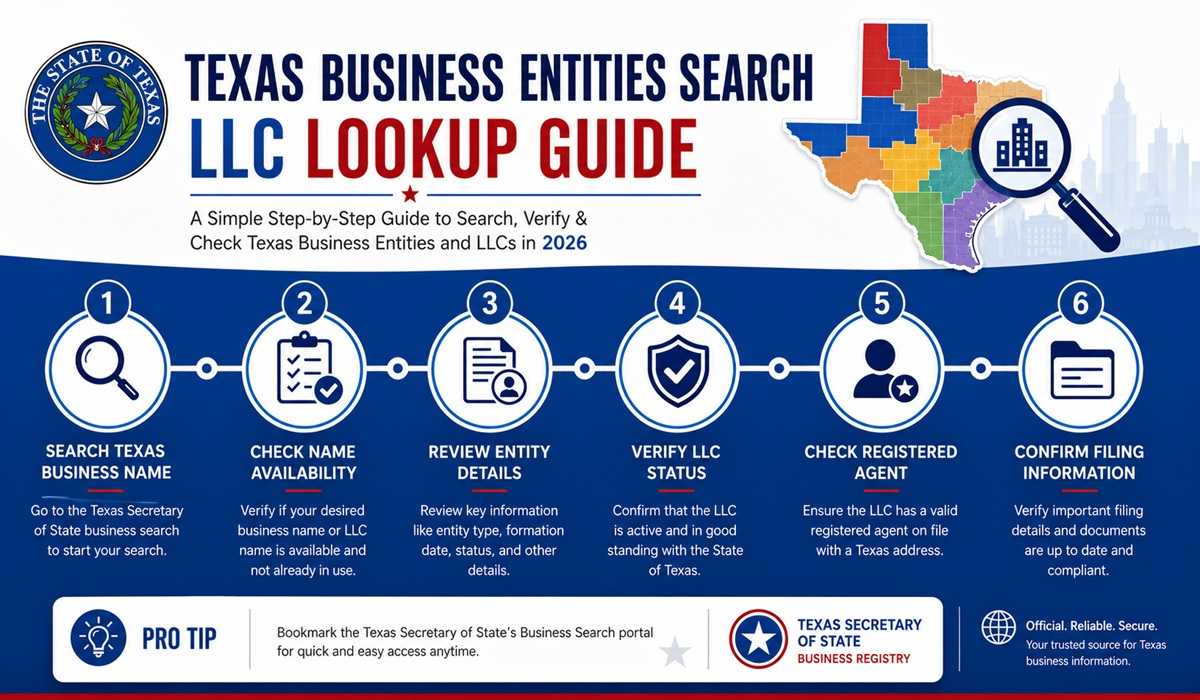
Texas SOS serves as the primary governing body for various corporate entities, including both domestic and foreign corporations such as C-Corporations and Professional Corporations. According to an April 2026 Texas Secretary of State announcement, the state now holds more than 3 million active business entities, and it has expanded its expedited Texas Express filing to cover business formations, so a cleared name can move to a live LLC faster than ever. The office also maintains complete historical records and documentation for each of these entities to preserve transparency and legal accountability.
The authority of the Texas Secretary of State also extends to other business structures, including Limited Liability Companies (LLCs), Limited Partnerships (LPs), and General Partnerships (GPs). Under the Texas Business Organizations Code, all of these business structures are required to register with the SOS before conducting commerce or offering services in the state.
The Texas Secretary of State administers and maintains the Texas business organization records, a public online system used to check business name availability and review filing history. According to U.S. Census Bureau Business Formation Statistics, Texas logged 501,398 new business applications in 2023, ranking 14th nationally per capita, so the register fills with new names every day. These records include Nonprofit Corporations, Unincorporated Associations, and Professional Entities, each identified by a unique Entity Number or File Number assigned at the time of registration.
Through these combined responsibilities, the Texas Secretary of State ensures that business entities maintain proper regulatory compliance, accurate public records, and legal authorization to operate. This oversight supports the integrity of Texas commerce and contributes to the state’s long-standing history of business growth and legal reliability.
Last updated: August 2026. The Texas Secretary of State runs all business entity searches through the SOSDirect system, and the Texas Comptroller offers a free Franchise Tax Account Status search for quick name checks. This guide reflects the current 2026 process.
The Ultimate Guide on Texas Business Name Search (LLC Lookup TX)
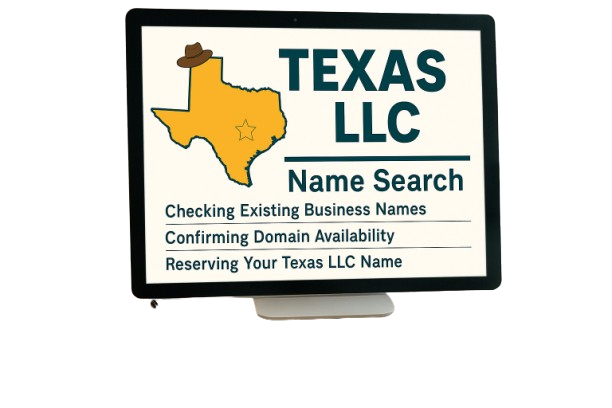
To do a Texas business name search, go directly to the SOSDirect system . The tool verifies your name instantly and ensures compliance with state rules. It’s the first step before filing with the Secretary of State.
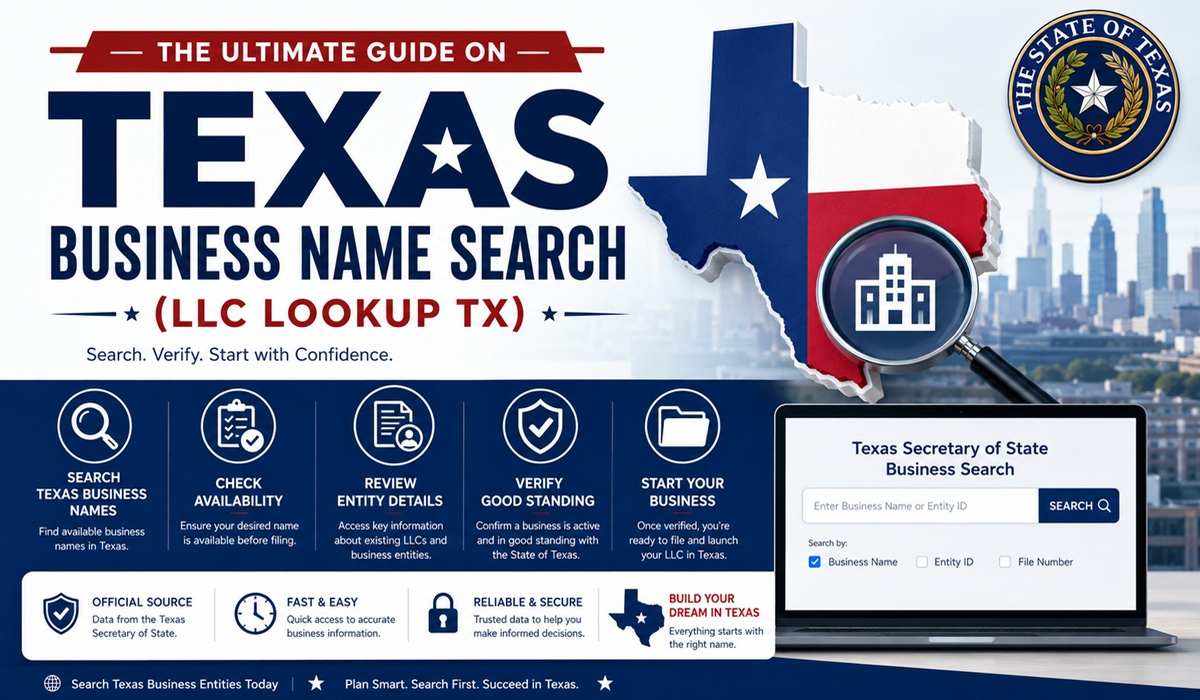
Using this search helps avoid disputes over existing business names. Entrepreneurs who run checks often report smoother registrations. That early effort keeps your brand strong and distinct
Use a wide lens look at abbreviations and common misspellings. This small habit protects your LLC identity and sets your business up for success.
Over 40% of new LLC filings in Texas are for single-member businesses, showing that solo entrepreneurs are increasingly choosing LLCs for liability protection and tax flexibility. Additionally, research shows that businesses that conduct an early name search are 30% less likely to face name conflicts or filing delays.
Business Entity Search in Texas
Using the Texas Business Entity Search is the first step to finding a unique LLC name and avoiding duplicates.
The Texas Secretary of State oversees nearly 2.9 million entities in 2025, with searches reducing rejection rates by over 60%. Use the SOSDirect system for a reliable Texas SOSDirect business search to confirm compliance.
Refine your business entity lookup with filters like entity type or status. Save or export results to secure entity name availability for your LLC formation or registration.
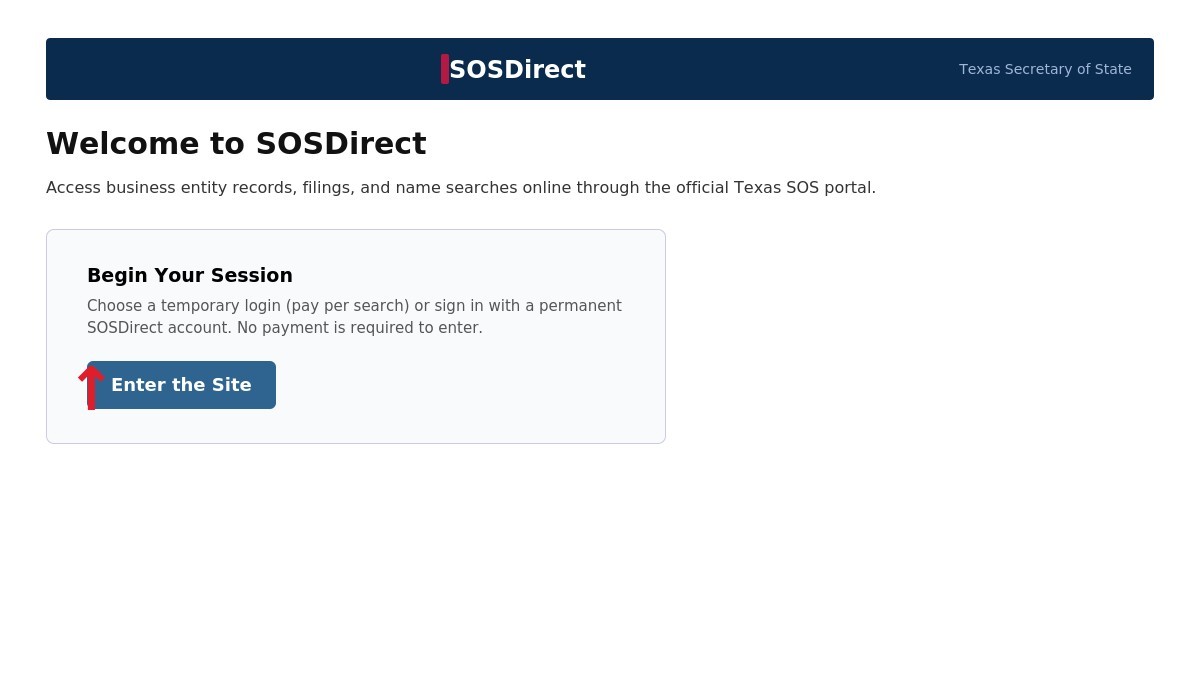
Step 1: Access the SOSDirect Portal
- Visit the Texas Secretary of State SOSDirect page
- Choose free temporary login or set up a permanent account.
- Enter basic details to start no payment needed yet.
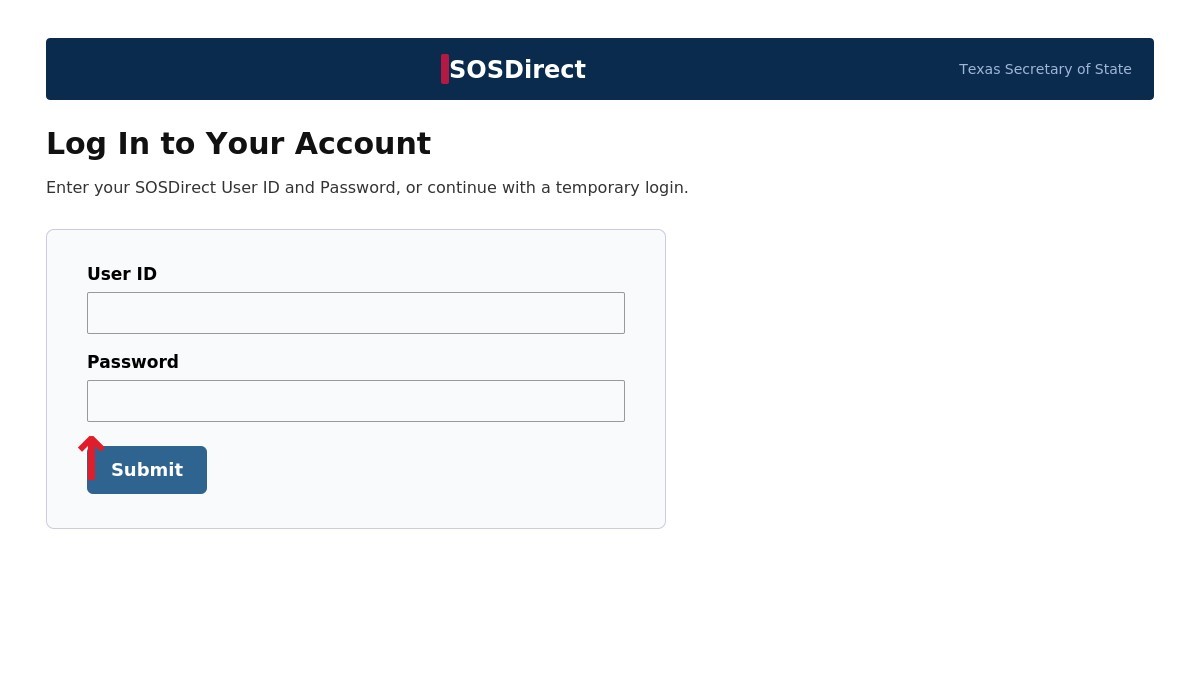
Step 2: Log In to Your Account
- Click the login link on the SOSDirect account page.
- Use your USER ID and password (emailed within an hour).
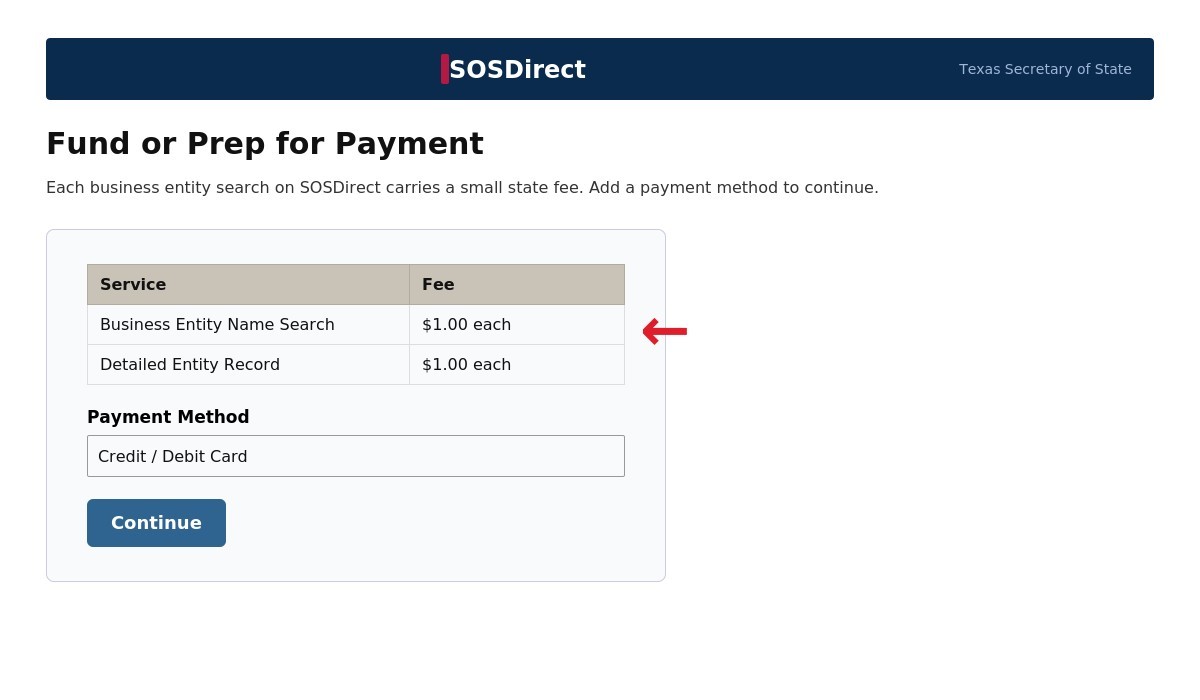
Step 3: Fund or Prep for Payment
- Select “Client Account” under payment options.
- Add at least $1 for the business entity search fee, activates in an hour.
- Pay via credit card; check balance before starting.
Step 4: Launch the Entity Search
- From the dashboard, select “Business Organizations” then “Entity Search.”
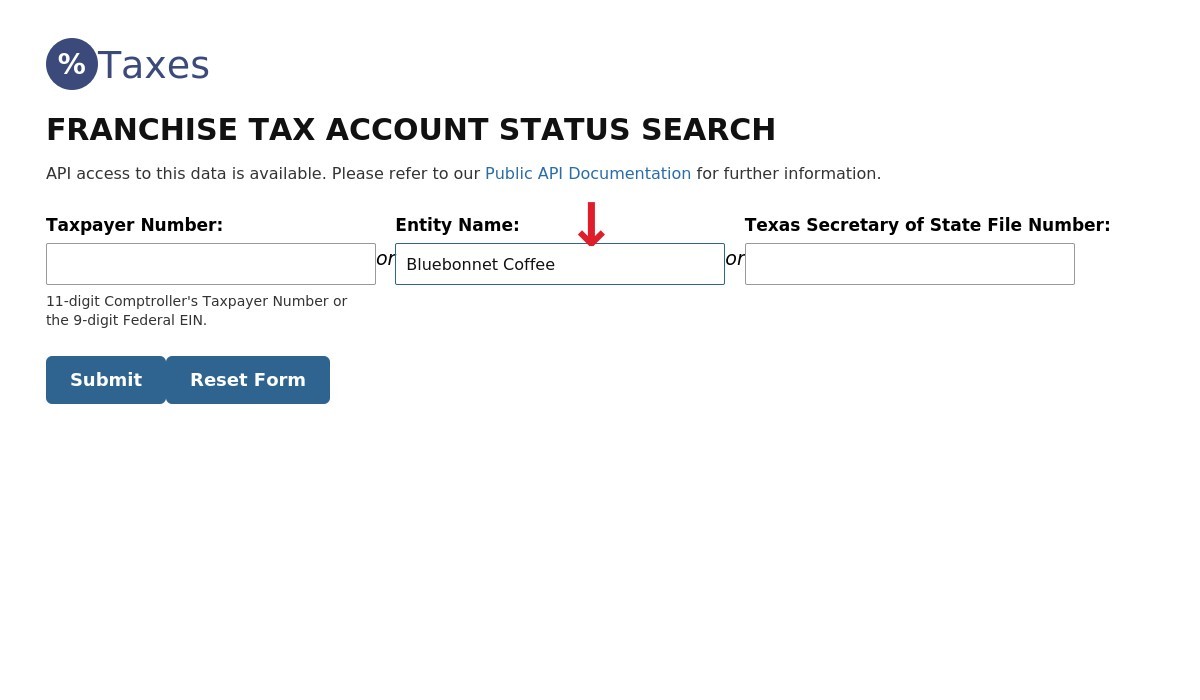
- Choose Entity Name for Texas LLC search tool checks.
- Type your desired name (e.g., “Good Pizza”) – full or partial.
Step 5: Submit and Review Results
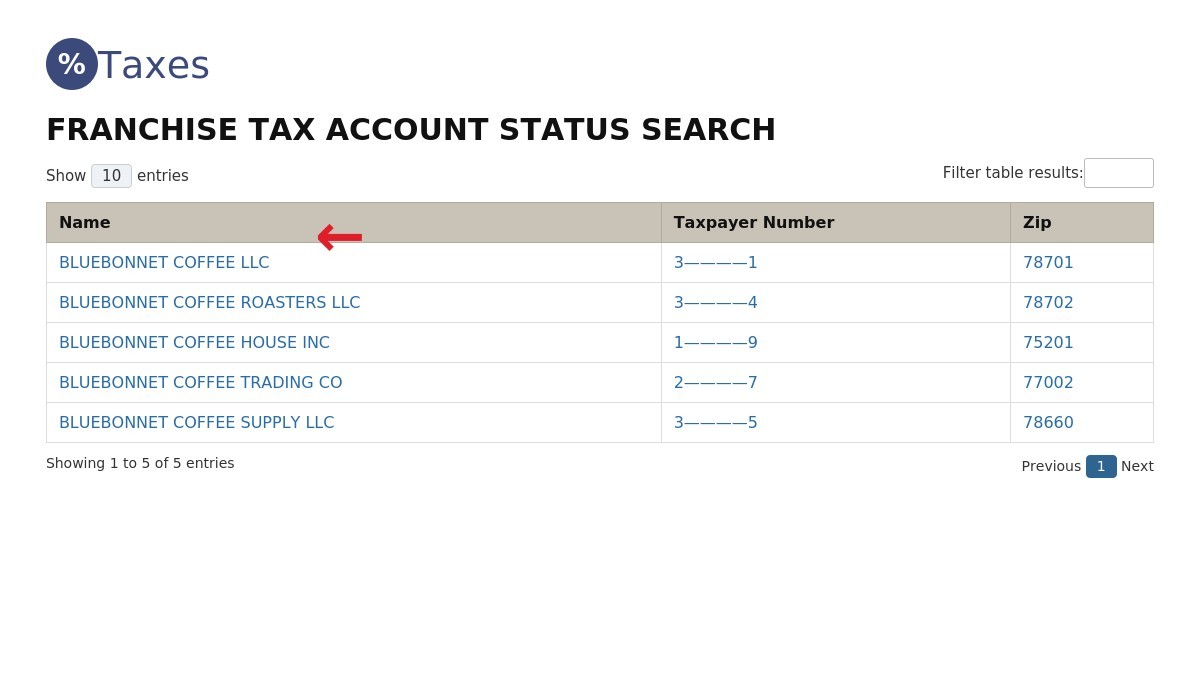
Results show:
- Entity Name: Full registered name.
- Status: Active, Inactive, or Forfeited.
- Filing Number: Unique SOS ID.
- Registration Date: Formation or filing date.
Step 6: Dive into Detailed Records
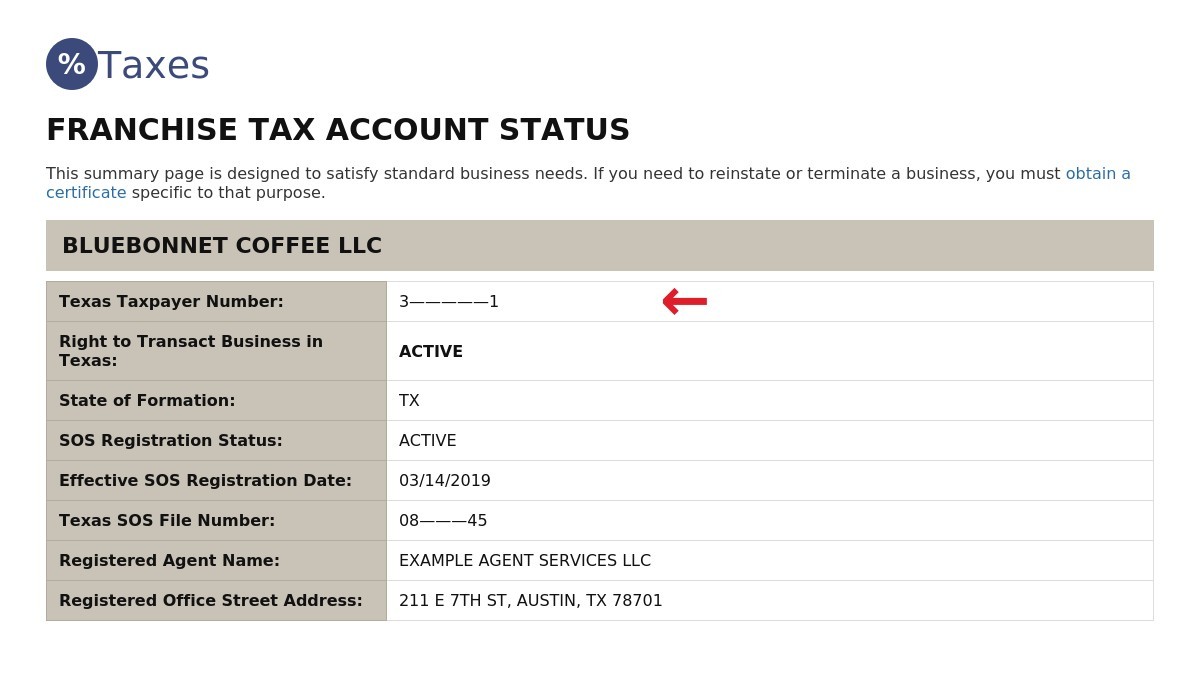
Click an entry for:
- Profile with registered agent and address.
- Filing history like Articles of Organization.
- Compliance status from Texas Secretary of State.
- Download certificates for $15 via SOSDirect services.
Step 7: Export or Save Your Data
Save a PDF or print results for your records. Use them to verify entity name availability before filing. Essential for Articles of Organization or name reservations. Your diligence pays off.
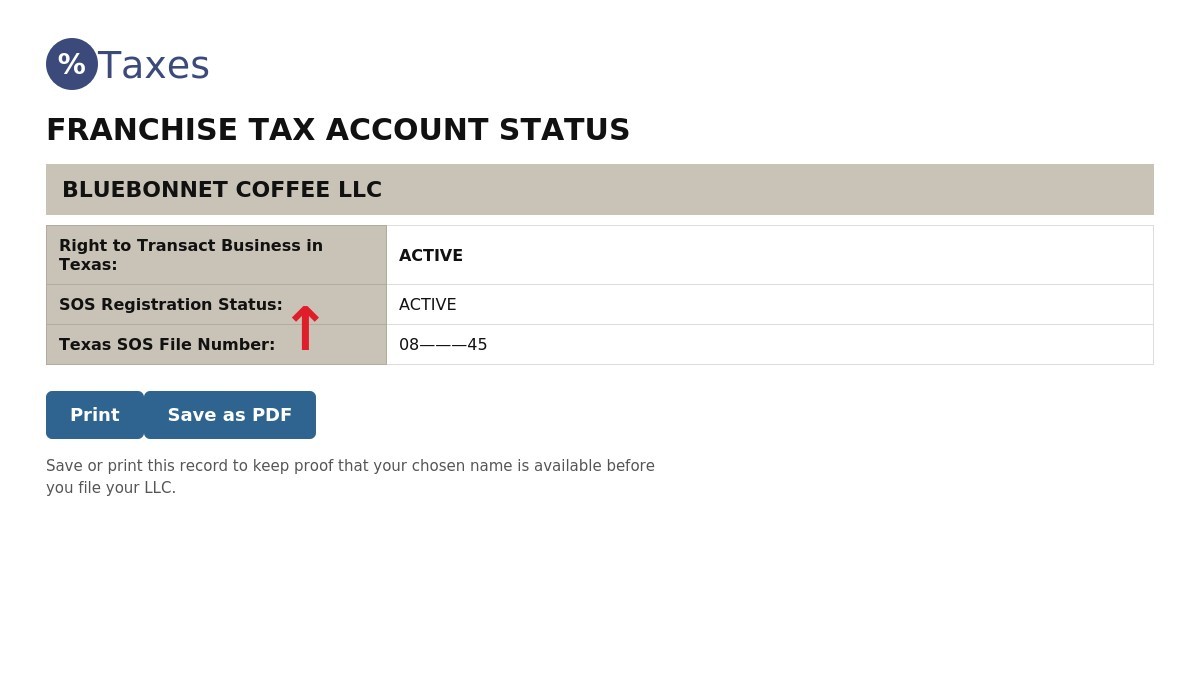
Example Search Fields
Here’s how it looks:
| Search Field | Example Input | Result Shown |
|---|---|---|
| Entity Name | Lone Star LLC | Active – Filed 2025 |
| Filing Number | 0801234567 | Active – Registered Agent on File |
| Officer Name | Jane Doe | Linked to Lone Star Ventures LLC |
Tip: Always search plural/singular variations, like “Star” and “Stars,” to catch similar names. This quick check ensures your Texas LLC name is unique and compliant, paving the way for smooth registration.
Texas LLC Name Rules and Naming Guidelines
Over 700,000 new businesses launch in Texas each year, per the Texas Secretary of State 2026 data. The Texas Secretary of State enforces unique LLC names to ensure smooth registration. Choose a distinct name, and your business entity is set to thrive.
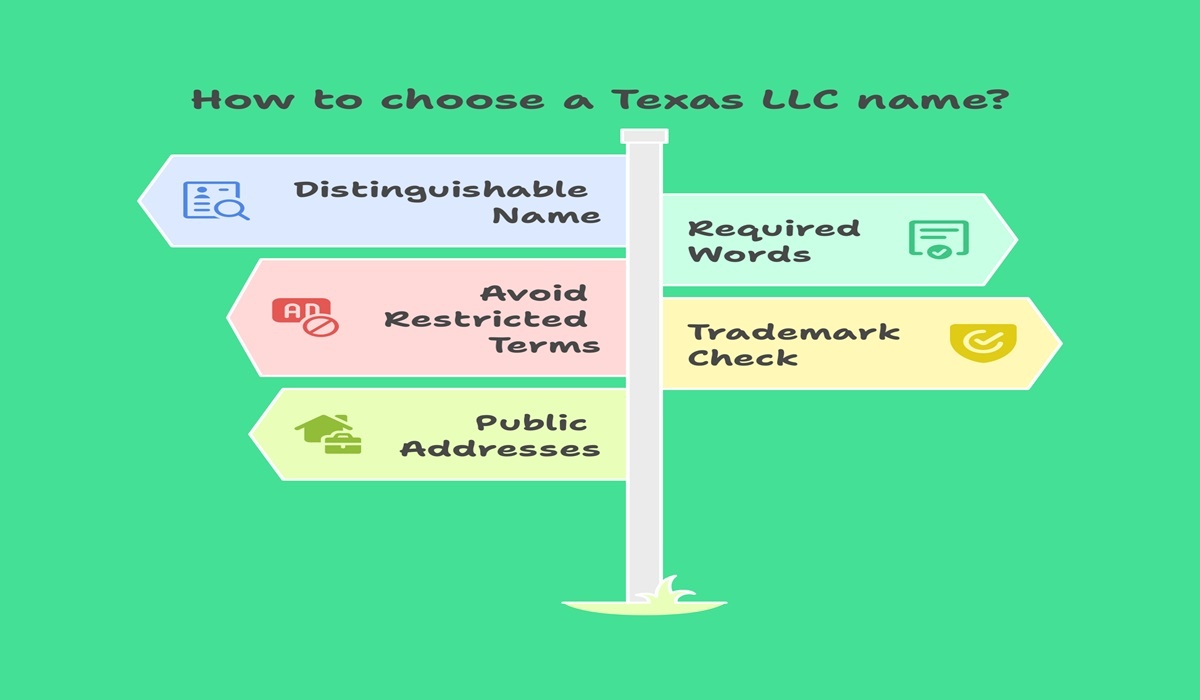
Follow these essential rules to choose a compliant and successful Texas LLC name.
1. Distinguishable Entity
Your LLC name must stand apart from others in the Secretary of State database. Identical or look-alike names get rejected. Use the SOSDirect system to confirm availability.
Example:
Lone Star Solutions LLC
Lone Star LLC (too close to existing name)
2. Required Words
Texas law mandates including “LLC,” “L.L.C.,” or “Limited Liability Company” in the name. Leaving this out will block approval.
Example:
Bright Horizon LLC
Bright Horizon
3. Avoid Misleading or Restricted Terms
Certain words like “bank,” “insurance,” or “college” require a license. Using them without authorization misleads and violates state law.
Example:
Texas Trust Bank LLC (restricted)
Texas Trust Solutions LLC (allowed)
4. Trademarks and Federal Conflicts
A trademark protects names and brands at the federal level through the USPTO. Federal conflicts arise when a registered federal trademark overlaps with your Texas LLC name. Even if your name clears in Texas, it may still face issues nationally since the Texas Secretary of State only checks state records.
Run a USPTO search to avoid disputes and secure nationwide protection. This ensures your Texas LLC name is safe both locally and federally.
Example:
StarTech LLC (trademarked federally)
StarTech Innovations LLC (unique, safer)
Pro Insight: Think state first, then federal—this two-step check saves time and protects your brand.
5. Public Addresses
Your LLC’s registered agent and business address become part of public records. To keep home details private, consider using a commercial registered agent service.
Example:
Texas Registered Agent LLC shields personal addresses.
Common Mistakes That Lead to Rejection
- Choosing names that differ only slightly in spelling.
- Forgetting to add “LLC” or “Limited Liability Company.”
- Picking a name too close to another registered entity.
- Using restricted words without a license.
- Skipping the USPTO check for trademark conflicts.
For guidance, contact the Texas Secretary of State or review SOSDirect before submitting your application. A quick check upfront saves time and ensures your LLC name gets approved the first time.
How to Reserve a Company Name with the Texas Secretary of State
You can reserve a company name in Texas for 120 days using
Form 501
or the SOSDirect system. The cost is a $40 fee, and the Certificate of Formation that follows carries its own state charge, which our
Texas LLC cost and filing fees
guide breaks down in full. This reservation only holds your name, it does not mean you can transact business yet. Once available, the name is set aside until you’re ready to register your LLC or corporation.
Steps to Reserve Your Name:
- Online (SOSDirect):
Log in, complete Form 501, pay the $40 fee. Name is reserved instantly if available. - By Mail:
Download Form 501, fill it out, send with payment to the
Texas Secretary of State.
Processing takes longer.
✅
Tip:
If you’re not ready to form your business in Texas immediately, reserving the name protects its availability. This ensures no one else can claim it before you launch your business services. Once your entity registers, it becomes taxable and fully authorized to transact business in the state.
DBA (Assumed Name) vs. Legal LLC Name in Texas
Your LLC in Texas needs a unique legal name, filed with the Texas Secretary of State. A DBA (assumed name) lets you brand differently for your business in Texas. Over 700,000 Texas entities use clear names, per 2025 Texas Secretary of State data. The legal name goes on Articles of Organization for register an LLC in Texas. A DBA, or fictitious name, is for marketing, filed via Texas Assumed Name Certificate. Check name availability on SOSDirect or Texas Comptroller’s taxable entity search to ensure your name is distinguishable. File your Assumed Name Certificate with the County Clerk ($25) or Texas SOS ($25) for statewide use. Search the Texas Secretary to confirm your business’s name is unique before you form an LLC in Texas.LLC Name vs. DBA in Texas Table
| Aspect | Legal LLC Name | DBA (Assumed Name) |
|---|---|---|
| Purpose | Official name for LLC filing. | Trade name for transact business in Texas. |
| Filing Authority | Texas Secretary of State’s office. | County Clerk or Texas SOS. |
| Legal Use | Contracts, taxes, legal docs. | Signage, ads, online business service. |
Trademark Search vs. Name Availability in Texas
When checking if your business name is available in Texas, you need to understand the difference between a state name check and a federal trademark search. They are not the same.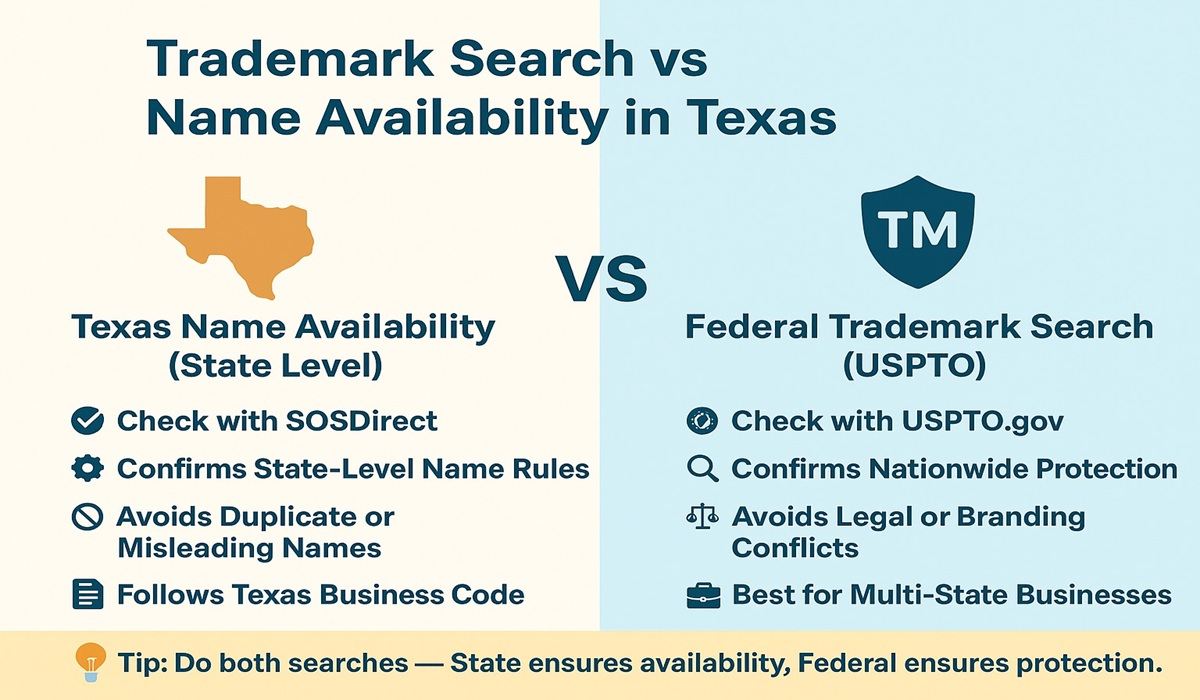
Understand the difference: State name availability is local, trademark protection is nationwide. Do both!
Texas Name Availability (State Level)
- Run a SOSDirect name search.
- Enter your desired name in the search box to see search results.
- Confirms if your chosen LLC name is available under the Texas Business Organizations Code and Texas Administrative Code.
- The name must include “LLC” or another legal ending.
- Cannot be the same name as another or misleading.
Federal Trademark Search (USPTO)
- A Texas trademark search via the USPTO ensures your name isn’t trademarked nationwide.
- Even if your name is available in Texas, it may still conflict with a specific business trademark.
- Confirms your brand is safe to transact business and expand beyond Texas.
- Protects against lawsuits, rebranding costs, and federal disputes.
- Helpful if your LLC will one day become taxable in multiple states or provide business services outside Texas.
Why Both Searches Matter
- Texas checks availability only.
- USPTO checks brand protection nationwide.
- Together, they confirm your LLC name availability is both locally valid and federally secure.
 Tip: Always do both checks before you’re ready to form your LLC. This way, your new LLC name is protected whether you’re starting a business locally or growing nationally.
Quick Comparison
| Check Type | What It Covers | Limits |
|---|---|---|
| Texas Name Check (SOSDirect) | Ensures name using state rules is compliant with the Texas naming guidelines and Texas business organizations code | Does not check trademarks |
| USPTO Trademark Search | Confirms no federal conflict with another business trademark | Doesn’t confirm if the name is available in Texas |
Use both searches to ensure your available business name is fully protected.
Common Issues in Name Availability Search and How to Fix Them
When conducting a business name search in Texas, many people run into the same problems. Here’s what usually goes wrong — and how you can fix it: Similar Sounding Names- Example: ABC Consulting vs. A.B.C. Consulting might match your search even if written differently.
- Fix: Add a unique word or adjust the spelling to make the name for your LLC clearly distinct.
- Certain words (like bank, insurance, or university) are limited by the Texas Business Organizations Code.
- Fix: Choose terms that are compliant with state rules, or be ready to provide proper licenses.
- Sometimes, your desired LLC name looks free at first but the search results show it’s a name already reserved by someone else.
- Fix: Try small modifications, like adding your city, initials, or switching to a DBA (Doing Business As).
- The Texas SOS system isn’t always beginner-friendly. If you’re stuck, check the search FAQs, use the Texas Secretary of State’s online business services, or call the office directly.
- Tip: Always also search the USPTO database for trademarks — a name that looks free in Texas could conflict federally.
Quick Reminder:
Before you need to do a business filing, always search to see if your name is available for use. The state also requires your new LLC name to be distinguishable from others and not already taken.
Next Steps After Your Texas LLC Name Search: Registering Your Business
You’ve confirmed that your LLC name is available in Texas , now it’s time to make your business official. The next step is filing your Certificate of Formation (Form 205) with the Texas Secretary of State.

A Registered Agent is essential for your Texas LLC’s official state communications.
Here’s what to do:
File Certificate of Formation (Form 205)
- Submit online via SOSDirect or by mail.
- Fee: $300.
- This filing registers your new LLC name under the Texas Business Organizations Code.
Include Required Details
- LLC name (must meet Texas naming guidelines).
- Registered agent information.
- Management structure and purpose.
Registered Agent Requirement
- Texas law requires every LLC to maintain a registered agent for service of process.
- Instead of using your personal home address (which becomes part of public records), consider using a professional service.
👉 BusinessRocket can serve as your Texas registered agent, helping you stay compliant while keeping your privacy protected. If you would rather hand off the paperwork entirely, compare the best LLC formation services that file everything for you.
Professional LLC services like BusinessRocket also save time by handling the filing process, ensuring your documents are compliant with state requirements.

Why is a business name search important before starting a business?
A name search ensures your LLC name is unique, avoiding legal issues. Over 700,000 businesses register yearly in Texas, per Texas Secretary of State 2025 data. It confirms compliance with state rules. Saves you from costly rebranding later.
How do I check business name availability with the Texas Secretary of State?
Visit SOSDirect on the Texas Secretary of State website. Type your desired name in the search box and review search results. A $1 fee applies per search. Call the Texas Secretary of State Corporations Section for help.
What is a Texas LLC name search vs. a business entity search?
An LLC name search checks if your name for your LLC is free on SOSDirect. A business entity search covers all Texas entities, like corporations or limited partnerships. Both ensure name is available in Texas. Use SOSDirect for both.
How do I complete a name reservation for my Texas LLC name?
File Form 501 via SOSDirect or mail to Texas Secretary of State’s office. Pay $40 to reserve your name is available for use for 120 days. Verify LLC name availability first. Perfect if you’re not ready to form your LLC.
What if my business name is not available in Texas?
Tweak your new LLC name with identifiers like “Ventures” or “Group.” File an Assumed Name Certificate for a DBA via Texas SOS or County Clerk. Also search USPTO for trademark conflicts. Your business’s name can still shine.
Can I use a Texas LLC name if search results show inactive business entities?
Yes, if the entity is Inactive (dissolved or non-compliant), per Texas Business Organizations Code. Confirm via SOSDirect name search. Search to see if it’s free of trademarks on USPTO. File Articles of Organization to claim it.
Is the Texas business name search free or paid?
SOSDirect searches cost $1 per query, per Texas Secretary of State. Texas Comptroller’s taxable entity search is free for taxable entities. Use both to ensure available business name.
What issues come up when conducting a business name search in Texas?
Similar names (e.g., “Star LLC” vs. “Stars LLC”) or restricted words like “bank” cause entity name conflicts. Names may be reserved by another business. Fix by modifying spelling or using a DBA. Check Texas naming guidelines first.
How long to confirm LLC name availability in Texas?
SOSDirect searches give instant search results for LLC name availability. Funding your account takes an hour for new users. Texas state processes mailed requests in 5-7 days. Quick checks save time for register an LLC in Texas.
Can multiple business entities use one available business name in Texas?
No, Texas Administrative Code requires a name is distinguishable from another business. Only one specific business can use a name. Conduct a business name search on SOSDirect to confirm. Use a DBA for assumed name in Texas if needed.
 How to start Freelancing – Tips August 22, 2026 - Home » Texas Business Name Search (LLC lookup) – 2026 GuideHow to Start Freelancing – 9 Proven Tips for Beginners To start freelancing, you must have a digital skill first. Because if you don’t have any online skill, you can’t give any service to your clients, and you also can’t make an account on any …
- How to start a transportation business August 20, 2026 - Home » Texas Business Name Search (LLC lookup) – 2026 GuideHow to Start a Transportation Business in 2026 Learn how to start a transportation business in 2026 with our simple 11-step guide. Covers costs, USDOT and MC permits, insurance, vehicles, and more. Start your Career Today Trustpilot Register Your Business Table of Contents How to …
 How To Start a Handyman Business August 19, 2026 - Home » Texas Business Name Search (LLC lookup) – 2026 GuideHow to Start a Handyman Business in 2026 To start a handyman business, first research your local state and city licensing limits, register your business structure, and buy general liability insurance. Start your Career Today Trustpilot Register Your Business Table of Contents How to Start …